// Player Mechanics
Player
Mechanics
Building the systems that define how a player interacts with the world. From movement and camera control to health management and death handling — all implemented in Unreal Engine using C++ and Blueprints.
// Core Skills
Player Movement
Axis-based movement input with controller rotation, forward and right vector calculations for responsive character control.
Camera System
Spring arm and camera component setup with pawn control rotation for smooth third-person camera behavior.
Health System
Dynamic health tracking with HUD updates, health percentage clamping, and real-time on-screen feedback.
Death Handling
Death state management including health bar reset, input disabling, and HUD removal on player death.
Input Binding
Axis and action input binding in both C++ and Blueprints for movement, rotation, and combat actions.
Combat Integration
Attack input binding delegated to weapon component with Blueprint visual scripting for animation control.
// Tools & Technologies
// Work Showcase
Player Movement & Combat Demo
Unreal Engine 5 • C++ • Blueprints
A demonstration of the core player mechanics system built in Unreal Engine 5 using C++. The video showcases player movement, shooting, and the health and damage system in action — including real-time HUD updates when the player takes damage.
// Live Demo
Health & Death System
C++ • Unreal Engine 5 • HUD Integration
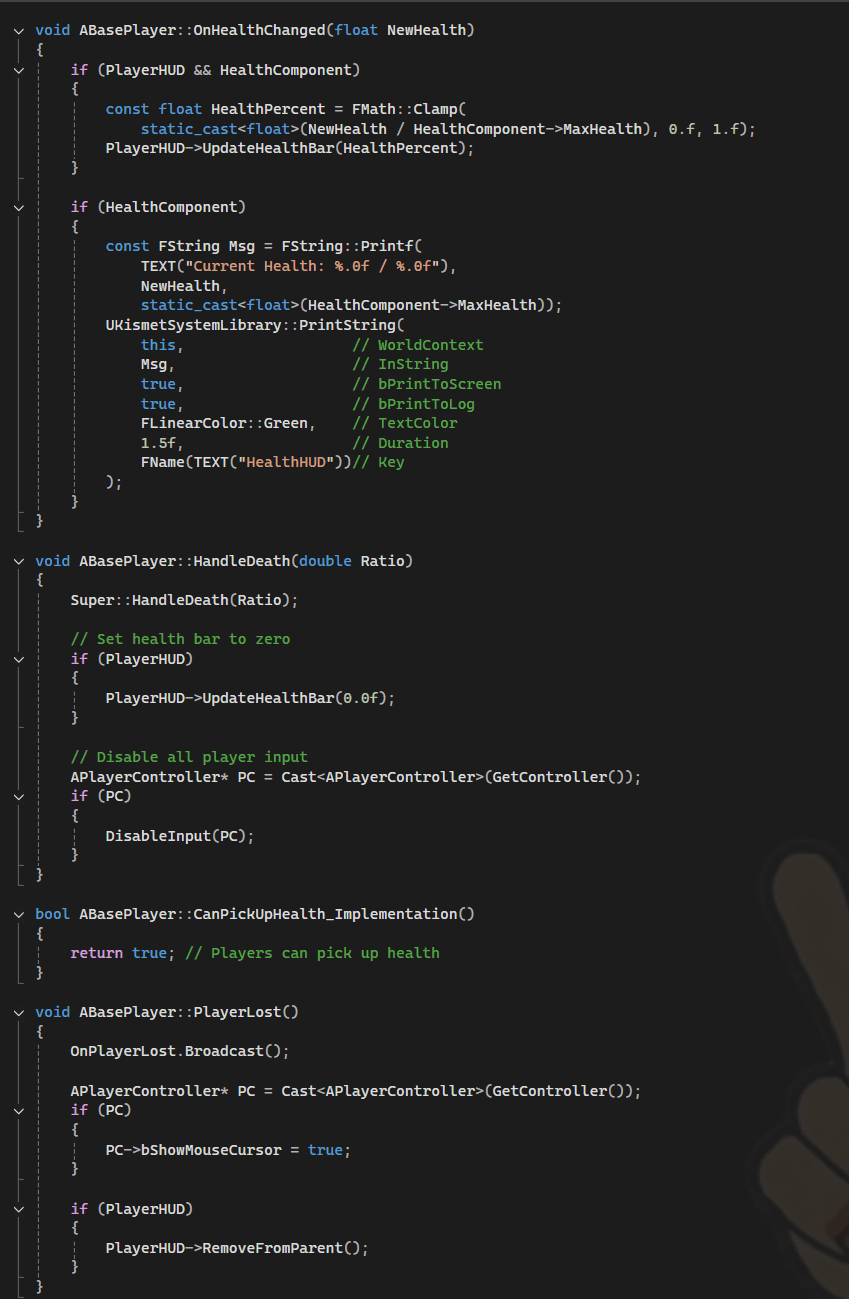
A complete health and death system built in C++. The health component tracks current and max health, updates the HUD in real time using a clamped percentage value, and handles player death by disabling input, resetting the health bar, and removing the HUD from the viewport. The system also includes a health pickup interface and a player lost event broadcaster.
// Health & Death Implementation
Camera System
C++ • USpringArmComponent • UCameraComponent
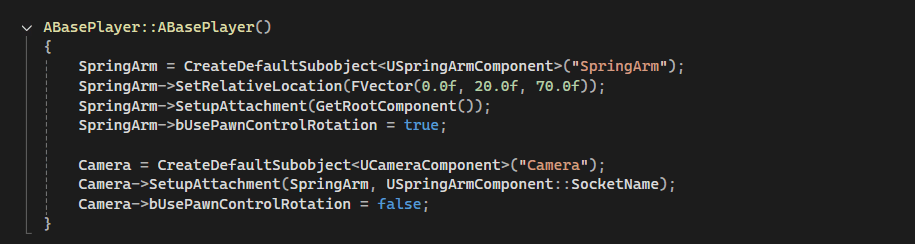
A third-person camera system built using Unreal Engine's Spring Arm and Camera components. The spring arm is offset and attached to the root component with pawn control rotation enabled, while the camera is attached to the spring arm socket and set to not use pawn control rotation independently — giving smooth, lag-free camera behavior that follows the player naturally.
// Camera Constructor Setup
Input System
C++ • Blueprints • UInputComponent
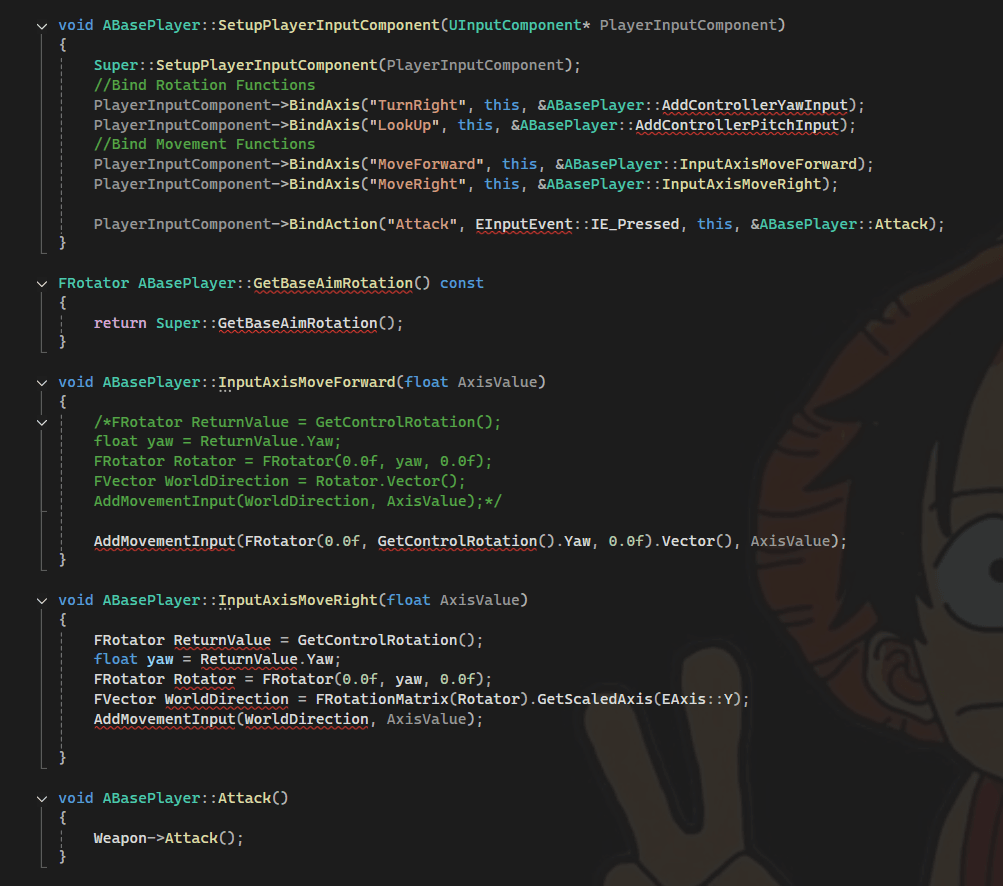
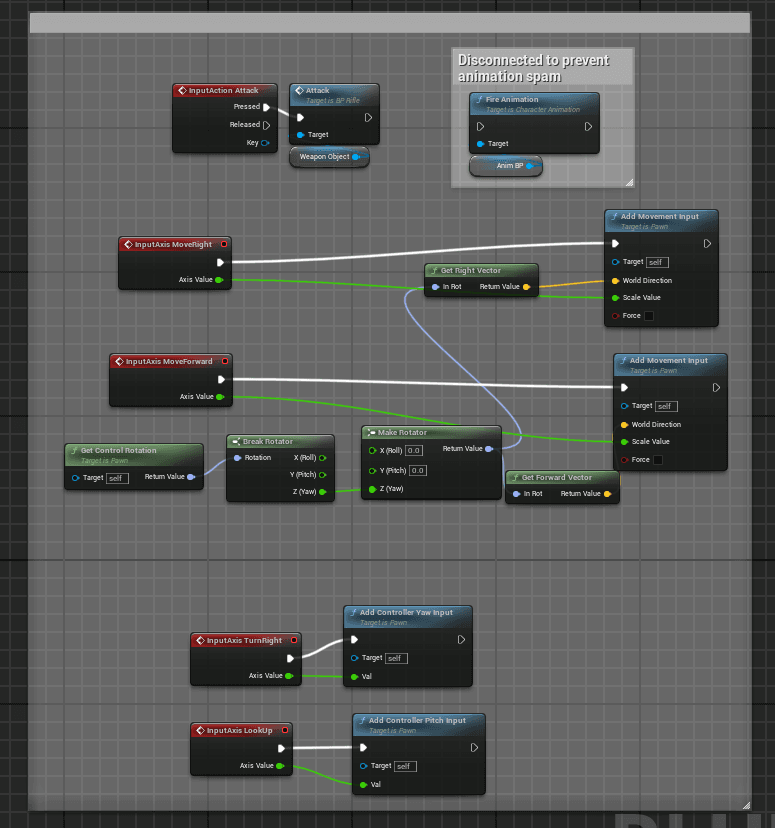
The input system was implemented in C++ using Unreal Engine's UInputComponent, binding axis inputs for movement and rotation as well as an action input for attacking. The Blueprint screenshot shows the same input functionality as it would appear using Unreal's built-in visual scripting system — demonstrating an understanding of both approaches and how the same logic translates between code and Blueprints. Movement uses controller rotation yaw to drive directional input so the character always moves relative to where the camera is facing.
// C++ Input Binding
// Blueprint Input Graph
© 2026 Maxwell Kelly. All rights reserved.
Built from scratch with Next.js, TypeScript, Tailwind CSS, and Canvas API — Designed & developed by me